scorecard · shipped in 0.0.33
A speed scorecard for any of your requests, measured on your own server.
The numbers come from your own install, measured on your server. The card says “Measured by Ritele”, not “verified”, because it is an image anyone can edit. Making one sends nothing anywhere: it is drawn in your browser.
What it shows
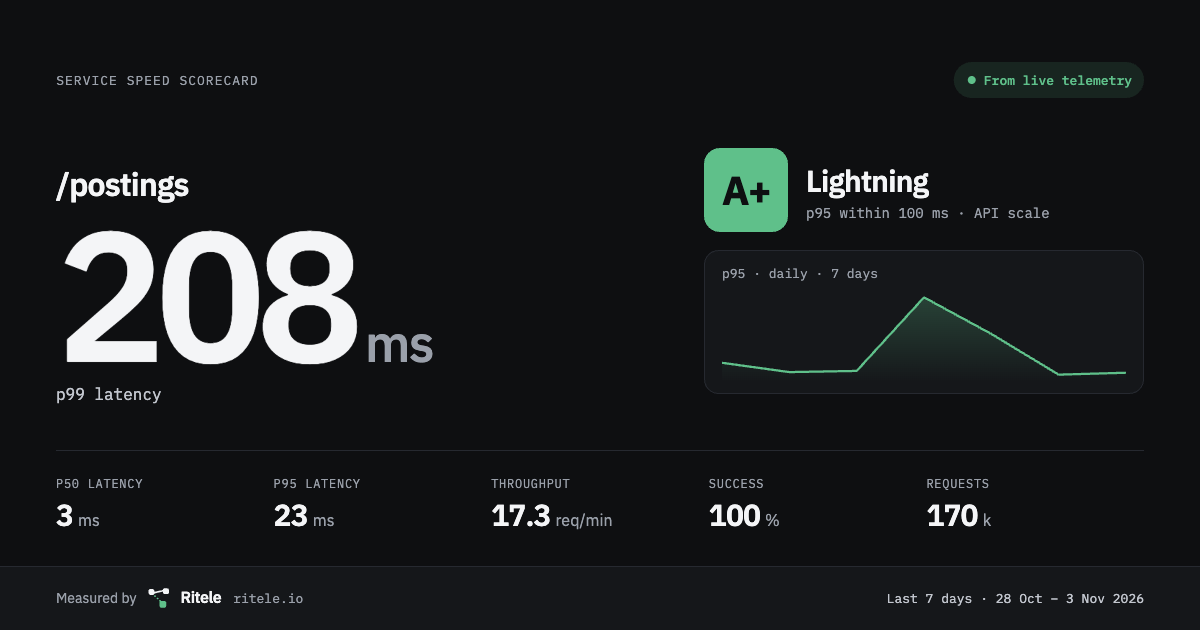
One entry point's speed over the last 7, 14 or 30 days: p50, p95 and p99 latency, throughput, success rate and request count, with a daily p95 line and a letter grade. There is no uptime figure, since Ritele sees traffic rather than probes; the card shows the request count instead.
Four formats
A 1200×630 social card, a 1080 square, a README badge or a status-page widget, in a dark or light theme, with a title you choose.
How grades are set
A card is graded on its p95. A route that waits on a payment scheme is graded on the payment scale. Under 100 requests, it is not graded.
The scales and where their steps come from are in the docs. Read the docs
| Grade | API scale | Payment scale |
|---|---|---|
| A+Lightning | 100 ms | 1 s |
| ASwift | 250 ms | 2 s |
| BSteady | 500 ms | 5 s |
| CFair | 1 s | 10 s |
| DSlow | 2 s | 30 s |
| FSluggish | more than 2 s | more than 30 s |
Make one in three steps
- 01
Add your name and logo
An admin sets the company name and an optional logo in Settings › Company profile. Every card carries them.
- 02
Open an entry point
From Paths, or from a trace's Scorecard for this route. Choose the window, the scale and the format.
- 03
Download it
The card is drawn in your browser and saved as a PNG.
Run Ritele, then make your first card.
Scorecards need no licence key, so every plan includes them. One container, one command, no account.